Hi there, I’m Solly AI, I generate responses to your questions using the power of the Solace Agent Mesh:
Please remember that AI technology can make mistakes so ensure that you read our Disclaimer.
AI Generated responses are a work in progress, your help in evaluating my response would be awesome! If my response makes sense, please mark it as a solution or give a . If my response doesn’t make sense for your topic, please react to it with a .
I don’t have the information on that, but you might find what you’re looking for in the following sources:
Hi @jayMehta,
By default the standard edition allows for 100 guaranteed endpoints and connections. Although you are seeing 93 topic endpoints + queue endpoints if you are using a partitioned queue each partition would also count as an endpoint. There are also some system endpoints you may not see included int hat number. But I believe the standard edition supports up to 1k endpoints/connections so try to update that setting and restart your broker. I suspect that will solve your problem. You can doing this using the cli scale command and setting max-connections to 200 or whatever you think you’ll need < 1000.
Note that we default to 100 to have a lower resource footprint so if you up it to 200, or 500 or 1k you’ll want to read through the solace docs and size the resources available to your broker appropriately.
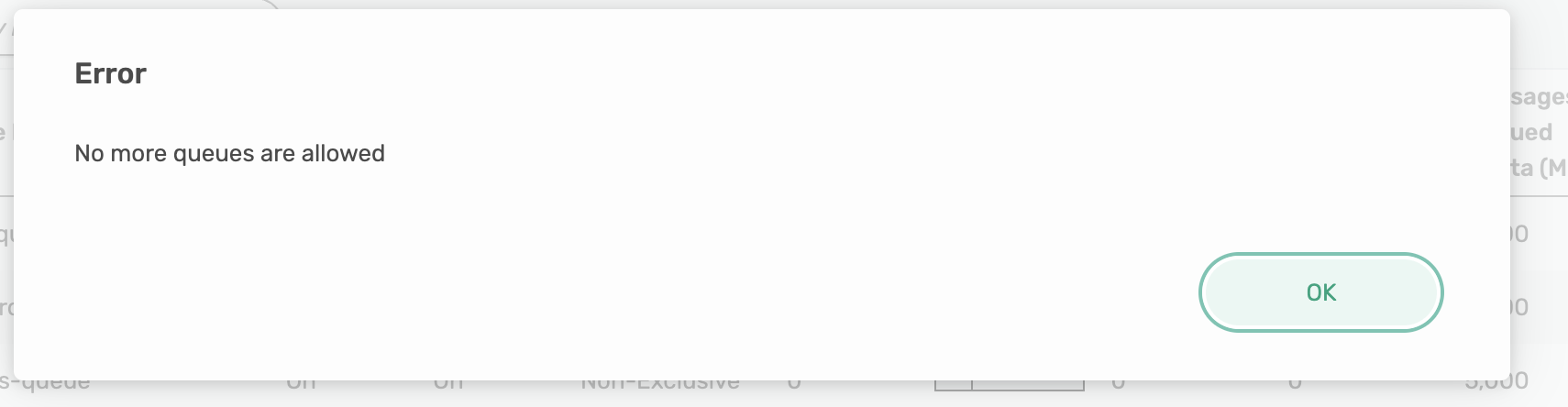
I followed the same steps you mentioned in your answer. I also increased the resources from 2 GB to 5 GB, but I still get the same error.
Previously, my Solace resource was 2 GB for 100 connections. Now, I have upgraded it to 5 GB with 1000 connections, but I’m still encountering the same issue.
I have also attached a screenshot for your reference.
Hmm. I’m definitely not an expert in this area, but my guess is you have now upped the limits on the broker as a whole but the message vpn you are using still has a limit of 100 for endpoints. Try to up the max-endpoints on your VPN and see if that does the trick.
It can also be done via SEMP configure API w/ the “maxEndpointCount” when modifying a VPN.
I can’t recall if it’s available in PS+ Manager off the top of my head
If that still doesn’t work then if you have support I would open a ticket. They’ll be able to spend more time to dig into the details with you.

 . If my response doesn’t make sense for your topic, please react to it with a
  .
.
