Let’s say you have an invoice reconciliation agent whose system prompt kept growing: tolerances, accessorial rules, duplicate detection, dispositions. Most chats never needed half of it. Skills in Solace Agent Mesh fixed that. A skill is a named bundle of instructions (plus optional references, assets and tools) that the agent loads on demand.
The skill itself is a folder with a SKILL.md
Mine has no tools, just instructions. The frontmatter is what the model sees when deciding whether to load it:
---
name: freight-audit-playbook
description: Freight invoice audit rules for Northwind Freight. Contracted-rate
  matching, accessorial validation, duplicate detection, and variance tolerances.
  Load before reconciling or approving any carrier invoice.
---

# Freight Audit Playbook

1. Linehaul: invoice linehaul must equal the contracted lane rate for the ship
   date. Tolerance is 0.5% or USD 25, whichever is lower.
...
Tip: write the description around the problem the user has, not the skill’s name. That one sentence is the trigger.
Scaffolding, checking and packaging are three commands:
sam skill init freight-audit-playbook            # add --with-tool --lang python for a bundled tool
sam skill validate freight-audit-playbook
sam skill package freight-audit-playbook
Then Builder > Skills > Create Skill and upload the zip. The list shows custom and built-in skills side by side, with tool, reference and asset counts and how many agents use each.

Attach it to an agent
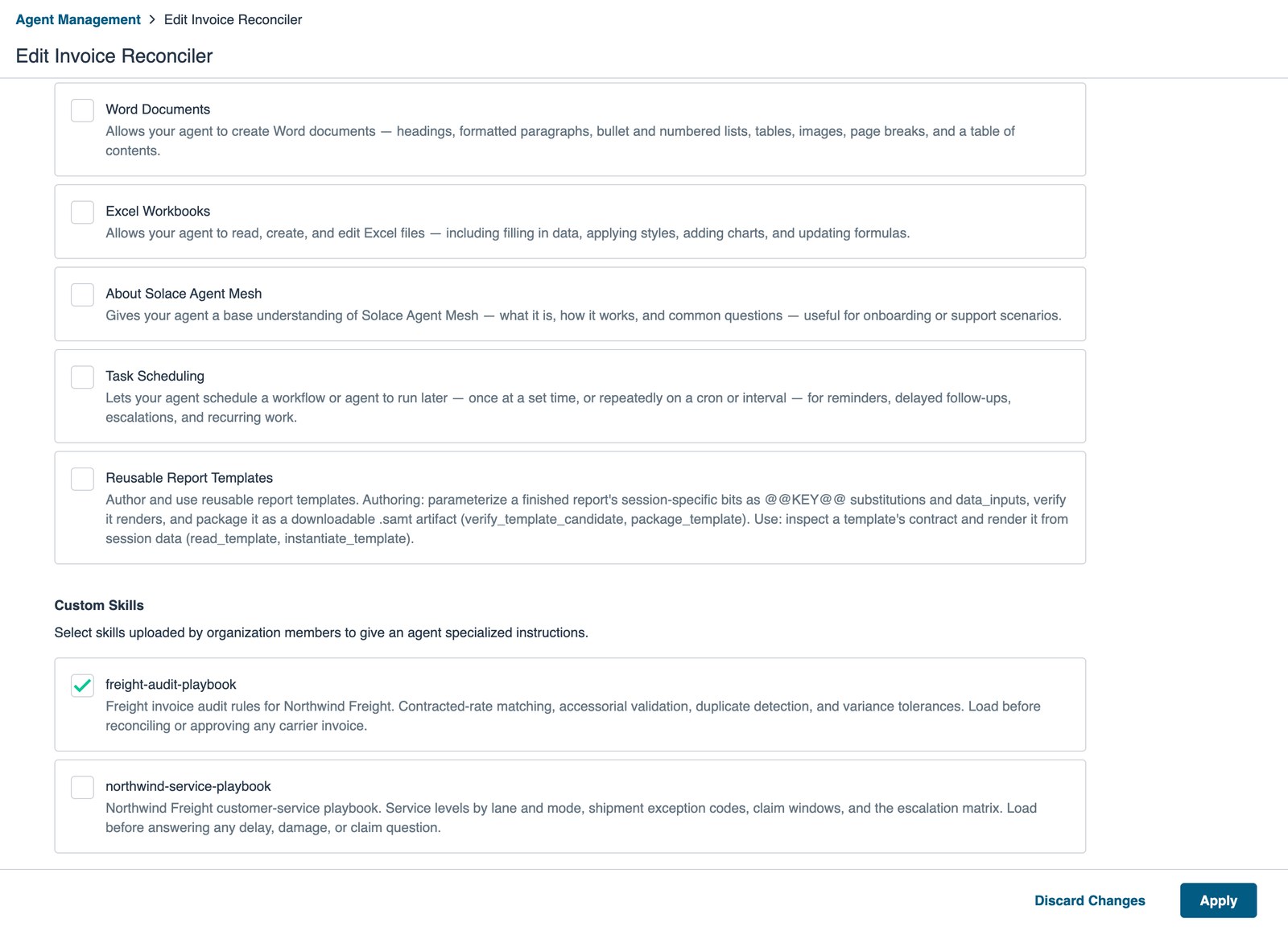
In the agent editor, the Skills section opens a selector with Built-in Skills (Word Documents, Excel Workbooks, Task Scheduling, Reusable Report Templates and more) and Custom Skills. Tick the box, Apply, save and deploy.
Watching it load
I asked the agent to audit a carrier invoice that was $200 over the contracted linehaul. In the Activity view, the first tool call was load_skill with name: freight-audit-playbook, and the agent then applied the playbook’s $25 tolerance and came back with a SHORT-PAY disposition.

Note:
- You don’t add
load_skillto the agent yourself. Attaching any skill registersload_skillandunload_skill. - To update a deployed skill, use Re-upload on its row.
Docs:
If you want to try this on your own playbook, download the Solace Agent Mesh desktop app and start with an instruction-only skill like mine.
What would you move out of your agent’s system prompt and into a skill first?